
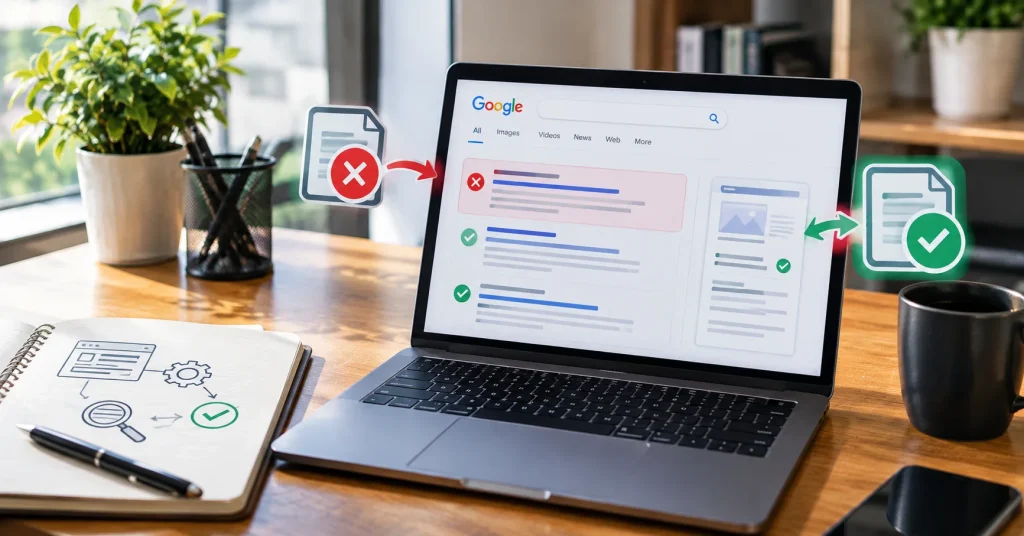
You wrote a great page. You hit publish. You waited. And nothing happened. Your page is nowhere on Google.
This happens to almost every website owner at some point. It is not a rare bug. It is one of the most common problems in SEO. The good news is that most indexing problems have a clear reason behind them, and most of them can be fixed without hiring an expert.
In this post, we will explain in plain words why pages aren’t indexed in Google, what Google Search Console is telling you when this happens, and the steps you can take to get your pages back in front of readers.
First, What Does “Indexed” Actually Mean?
Before Google can show your page in search results, it needs to do three things in order:
- Crawl. Google’s bot visits your page and reads it.
- Index. Google decides your page is worth storing in its huge database.
- Rank. Google places your page in search results for related searches.
If your page is stuck at step one or two, it will never show up in search, no matter how good the content is. This is what people mean when they say “my page is not indexed.”
A Quick Note on Recent Search Console Trouble
If you have been confused lately about why your indexing numbers looked frozen, you are not imagining it. Google’s own Page Indexing report in Search Console had a real delay in mid 2026, where data got stuck for about two weeks and did not update with new crawl information. Google later confirmed the issue and restored normal reporting. So if your numbers looked odd for a stretch, it may not have been your website at all. It is still smart to check your current report and confirm the data looks fresh before you assume something is broken on your end.
Common Reasons Pages Aren’t Indexed
Let’s go through the biggest reasons, one by one, in plain language.
1. The Page Has a “Noindex” Tag
Sometimes a page carries a hidden instruction that tells Google, “please don’t show this page in search results.” This is called a noindex tag. It is often added by accident during a website redesign or by a plugin setting that was never turned off.
2. Robots.txt Is Blocking the Page
Your website has a small file called robots.txt. It tells search engines which pages they can and cannot visit. If this file accidentally blocks an important folder or page, Google will skip it completely.
3. Canonical Tag Confusion
A canonical tag tells Google, “this is the main version of this page.” If your canonical tag points to a different URL than the one you want indexed, Google may index the wrong page or skip both.
4. Thin or Low Value Content
Google does not index every page just because it exists. If a page has very little text, repeats what is already on another page, or does not answer a real question, Google may crawl it and still decide it is not worth adding to its index. This status often shows up as “crawled, currently not indexed.”
5. Duplicate Content
If two or more pages on your site say almost the same thing, Google may only keep one and leave the rest out. This confuses search engines about which version to trust.
6. Poor Internal Linking
If a page is not linked from anywhere else on your site, Google may have a hard time finding it. Pages that sit in isolation, with no links pointing to them, often get ignored.
7. Slow Site or Server Errors
If your server is slow, or returns error codes like 404 or 500 when Google tries to visit, your page may never get crawled properly in the first place.
8. New Website or New Page
If your website or page is brand new, Google simply has not gotten around to it yet. This is normal and usually just needs a bit of patience.
9. Low Crawl Priority
Google does not have unlimited time to crawl every website equally. Sites with low authority, or with too many low value pages, may get a smaller crawl budget, meaning some pages get checked less often.
Quick Reference Table
| Reason | What It Means | Quick Fix |
|---|---|---|
| Noindex tag | Page is telling Google to skip it | Remove the noindex tag |
| Robots.txt block | Google can’t access the page | Update robots.txt rules |
| Canonical issue | Wrong page is marked as the main one | Fix the canonical tag |
| Thin content | Not enough useful information | Add real, helpful content |
| Duplicate content | Same info exists elsewhere | Merge or rewrite pages |
| Poor internal linking | Page is hard to discover | Add links from other pages |
| Server errors | Google can’t load the page | Fix hosting or broken links |
| New page | Google hasn’t visited yet | Wait or request indexing |
| Low crawl budget | Google visits rarely | Improve overall site quality |
How to Fix Indexing Problems
Here is a plain path you can follow, one step at a time.
Step 1: Open Google Search Console
If you have not already, set up a free Google Search Console account for your website. Go to the “Indexing” section, then click “Pages.” This report shows you exactly which pages are indexed and which are not, along with the reason for each excluded page.
Step 2: Check the Reason Given
Search Console will label the problem for you, such as “excluded by noindex tag” or “crawled, currently not indexed.” This tells you exactly which fix from the table above applies to your case.
Step 3: Use the URL Inspection Tool
Paste your page’s URL into the URL Inspection tool inside Search Console. It will show you whether the page can be crawled, whether it is blocked, and whether a request for indexing has already been made.
Step 4: Fix the Root Problem
Do not just ask Google to recrawl a broken page. Fix the actual issue first. Remove the noindex tag, correct the robots.txt file, improve the content, or fix the server error. Only after fixing it should you request indexing again.
Step 5: Improve Content Quality
If your page was skipped for being thin or unhelpful, add real value. Answer the reader’s question fully. Include examples, images, or a table if it helps. Google favors pages that genuinely help visitors, not pages built only to target a keyword.
Step 6: Build Internal Links
Link to your new or important pages from other pages on your site, especially from your homepage or popular blog posts. This helps Google discover the page faster and understand that it matters.
Step 7: Submit a Sitemap
A sitemap is a plain file that lists all your important pages. Submitting it through Search Console helps Google find new content much faster than waiting for it to stumble across your pages naturally.
Step 8: Be Patient
Even after fixing everything, indexing can take a few days to a few weeks. Google processes billions of pages, so your site is one of many in the queue.
A Word on Google’s Content Quality Reviews
Over the past year, Google has paid closer attention to websites publishing large amounts of unedited, low effort content. Pages that do not clearly help a real reader have had a harder time getting indexed and staying indexed. If you are publishing regularly, it helps to focus on fewer, better pages rather than many rushed ones. Resources like Google’s own Search Central documentation and independent guides from sites like Search Engine Land are useful if you want to go deeper into how crawling and indexing actually work behind the scenes. Tools such as Ahrefs can also help you audit your site for technical issues at scale.
Final Thoughts
Not being indexed on Google feels frustrating, but it is rarely a mystery once you look at the right report. Most of the time, the cause is something small and fixable, whether it is a stray noindex tag, a blocked robots.txt file, or content that simply needs more depth. Take it one step at a time. Check Search Console first, understand the exact reason, fix the real problem, and give Google a little time to catch up.
FAQs
1. How long does it take for Google to index a new page?
It can take anywhere from a few days to a few weeks. New websites and small sites usually take longer than well established ones.
2. Can I force Google to index my page immediately?
Not exactly. You can request indexing through Search Console’s URL Inspection tool, but Google still decides on its own timeline.
3. Why does Google say “crawled but not indexed”?
This means Google visited the page but decided it was not valuable enough to store in its index right now. Improving content quality usually helps.
4. Does having many unindexed pages hurt my whole website?
It can. A large number of low value or unindexed pages may lower Google’s overall trust in your site, so it is worth cleaning up or improving weak pages regularly.