
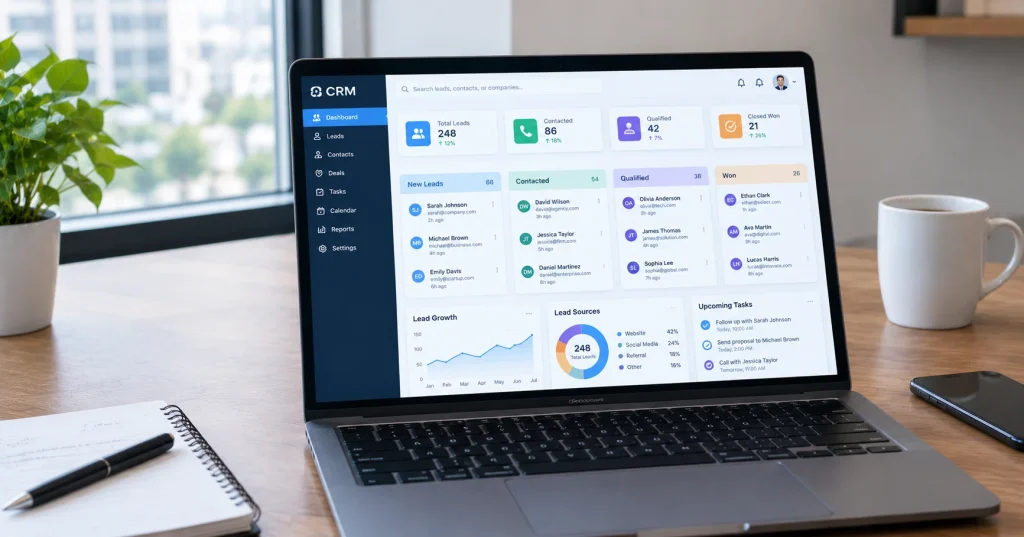
Running a small business is hard work. You wear many hats. You talk to customers, manage stock, handle bills, and still try to find new leads. In all this rush, many business owners lose track of their leads. A person shows interest, but nobody follows up. That lead is gone forever.
This is where CRM lead management comes in. It is not some big, complex system only for large companies. It is a helpful tool that keeps all your CRM leads in one place, so you always know who to talk to and when. Whether you call it lead management in CRM, customer lead management, or simply CRM sales lead management, the idea stays the same, you track every person who shows interest in your business. In this post, we will explain what lead management means, why it matters for small businesses, and how you can start using it without feeling overwhelmed.
What Is CRM Lead Management
CRM stands for Customer Relationship Management. Lead management is the part of a CRM that helps you track people who might buy from you. These people are called leads.
A lead could be someone who filled a form on your website, called your shop, or messaged you on social media. Without a system, these leads sit scattered across notebooks, phones, and emails. A CRM brings them all together in one place. You can see their name, contact number, what they asked about, and what stage they are at in the buying journey.
Some people call this process lead management CRM, others call it customer lead management. Both terms mean the same thing, keeping track of every CRM lead from the first contact until the final sale.
Why Small Businesses Should Care
Many small business owners think CRM tools are only for big corporations. That is not true. In fact, small businesses often need lead tracking more, because they don’t have a large sales team to remember every detail.
Here are a few reasons this matters:
- You stop losing leads due to forgetfulness.
- You respond faster, and faster response often means more sales.
- You understand which leads are ready to buy and which need more time.
- You build better relationships because you remember past conversations.
A good CRM turns a messy list of contacts into an organized system anyone on your team can use.
The Stages of Lead Management
Lead management usually follows a few clear stages. Knowing these stages helps you understand where each customer stands.
| Stage | What Happens | Why It Matters |
|---|---|---|
| New Lead | Someone shows interest for the first time | This is your first chance to make a good impression |
| Contacted | You reach out by call, email, or message | Shows the lead you are attentive and responsive |
| Qualified | You confirm the lead actually needs your product | Saves time by focusing on real buyers |
| Proposal Sent | You share pricing or a plan | Moves the lead closer to a decision |
| Won or Lost | The deal closes or the lead walks away | Helps you learn what worked and what didn’t |
When your leads move through these stages inside a CRM, you always know the next step. Nothing falls through the cracks.
How a CRM Makes Life Easier for Business Owners
A CRM is not just a fancy list. It is a helper that saves time and reduces stress. Here is what it usually does for you.
It reminds you to follow up. Most CRMs send alerts when it is time to contact a lead again. You don’t have to remember everything in your head.
It stores every conversation. If a customer calls back after two months, you can see exactly what was discussed earlier. This makes the customer feel valued.
It shows your team the full picture. If more than one person handles sales, everyone can see updates. Nobody repeats the same question to a customer.
It helps you spot patterns. You can see which type of lead usually turns into a paying customer, and focus your energy there.
Small business owners often say that once they start using a CRM, their daily work feels far more manageable. The mental load of remembering everything disappears.
Choosing the Right CRM for Your Business
There are many CRM tools available today, and choosing one can feel confusing. Here is a quick comparison to help you decide what matters most for your situation.
| Factor | What to Look For |
|---|---|
| Cost | Choose a plan that fits your budget, many offer free versions for small teams |
| Ease of Use | Pick a tool your team can learn without training for weeks |
| Mobile Access | Make sure you can check leads from your phone while out of the office |
| Integration | The CRM should connect with tools you already use, like email or WhatsApp |
| Support | Good customer support matters when you face technical issues |
Popular options include tools like HubSpot, Zoho CRM, and Salesforce. Many of these platforms offer free trials, so you can test them before paying anything.
CRM Lead Generation and Why It Connects to Lead Management
Lead management works best when it is connected to CRM lead generation. Lead generation is how you find new people who might be interested in your business. This could happen through social media ads, website forms, or referrals from happy customers.
CRM and lead generation go hand in hand. Once a lead generation campaign brings in a new contact, that contact should flow straight into your CRM. This way, nothing gets lost between the marketing stage and the sales stage. A business that treats CRM lead generation and lead management as separate tasks often ends up with gaps, where good leads never get a proper follow up.
Common Mistakes Businesses Make
Even with a good CRM, businesses sometimes make mistakes that reduce its value.
One common mistake is entering leads but never updating their status. If a lead is marked as new for months, the system becomes useless. Another mistake is ignoring the data the CRM collects. Many owners set up the tool and forget to check the reports it generates.
A third mistake is using too many separate tools instead of one central system. If leads are tracked in a spreadsheet, a notebook, and an app all at once, confusion returns quickly.
Tips to Get Started Without Stress
Starting a new system does not need to feel like a big project. Here are a few tips that make the process smooth.
First, move your existing contacts into the CRM slowly, rather than all at once. Second, train your team on just the basic features before exploring advanced ones. Third, set a fixed time each day, maybe fifteen minutes, to update lead information. This small habit keeps your data fresh and useful.
Many small business owners worry that switching to a CRM will take too much time. In reality, most modern tools are built so that beginners can start using them within a day. You do not need technical knowledge to manage your leads well.
Final Thoughts
Lead management is not about fancy software or complicated processes. It is about making sure no customer interest goes unnoticed. A CRM gives small businesses a clear way to track leads, follow up on time, and turn interest into real sales.
If you are still managing leads through memory, sticky notes, or scattered spreadsheets, it may be time to try a proper system. Once you experience how organized your sales process becomes, you will wonder how you managed without it before.
Frequently Asked Questions
1. What is a lead in CRM terms?
A lead is any person who shows interest in your product or service. This could be someone who filled a form, called your business, or messaged you online.
2. Do small businesses really need a CRM?
Yes, small businesses often benefit the most, since they usually don’t have a large team to track every customer manually.
3. Is CRM software expensive?
Many CRM tools offer free plans for small teams, and paid plans are often priced based on the number of users, so costs can stay manageable.
4. How long does it take to learn a CRM?
Most people can learn the basic features within a day or two, since modern CRM tools are designed for beginners, not just tech experts.