
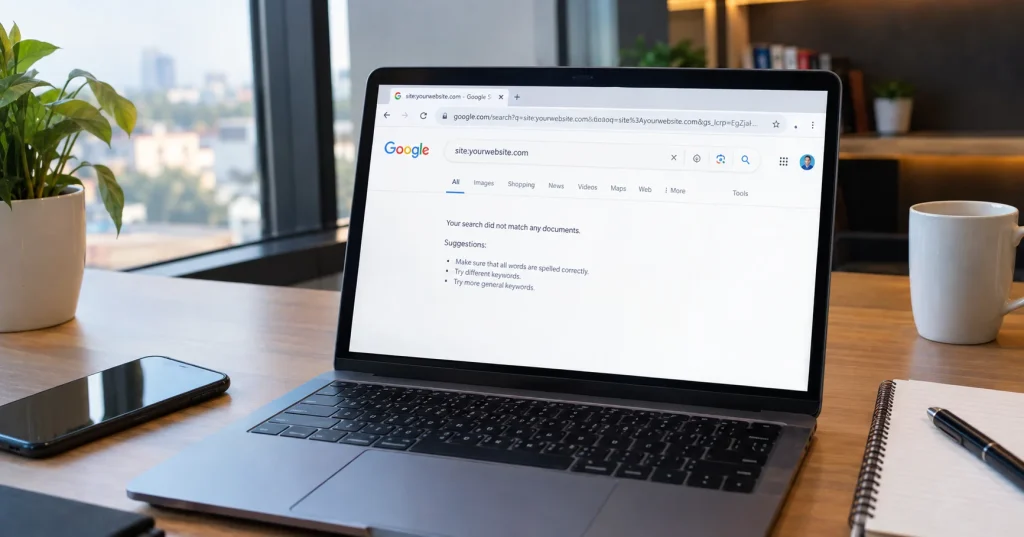
You wrote a good article. You hit publish. You waited a few days, then a few weeks. But when you search your own page title on Google, nothing shows up. Sound familiar?
This is one of the most common problems website owners face today. Your page is live, it looks fine, and people can even open it directly through the link. Yet Google refuses to show it in search results. If you have been asking yourself why Google is not indexing my website pages, you are not alone. This is called an indexing problem, and in 2026 it has become more common than ever.
In this post, we will explain in plain and simple words why this happens, what recent reports say about it, and what steps you can take to fix it. No technical jargon, no confusing terms. Just clear information that anyone can follow.
What Does “Not Indexed” Actually Mean?
Before we go further, let us clear up one basic point. There is a difference between a page being crawled and a page being indexed.
Crawling means Google’s robot, often called Googlebot, has visited your page and read it. Indexing means Google has decided to store that page in its giant database and show it to people who search for related topics.
So a page can be crawled but still not indexed. Google visited it, read it, and then chose not to add it to search results. This can feel unfair, especially when your content is genuine and well written.
What Recent Reports Say
Over the past year, many website owners and bloggers have shared stories online about pages that were once fully indexed suddenly dropping out of Google search. One widely discussed case involved a small independent news site that had been running since 2024. The owner explained that Search Console once showed most of the site’s pages as indexed, but over time this changed. Eventually only the homepage remained indexed, while almost every other page fell into the “crawled but not indexed” category, even though the content was original, detailed, and had earned real backlinks from other publishers.
Search engine industry sites have also reported that Google is treating indexing as less of a technical checkbox and more of a quality decision. Instead of asking “can this page be indexed,” Google is increasingly asking “does this page add something new and useful compared to everything else already indexed.” If the answer is no, the page may stay crawled but unseen.
Google has also been working on improving its Search Console tools, including better reports that explain exactly why a page has not been indexed, giving site owners clearer reasons instead of vague messages.
Common Reasons Google Is Not Indexing Your Pages
If you are still wondering why Google is not indexing my website pages, the answer usually falls into one of a few common buckets. Let us break this down into a table so it becomes easy to understand at a glance.
| Reason | What It Means | How Common It Is |
|---|---|---|
| Low quality or thin content | Page has very little useful information | Very common |
| Duplicate content | Same or similar content exists elsewhere on your site or the web | Common |
| Noindex tag | A hidden code tells Google not to index the page | Common on new or test sites |
| Robots.txt blocking | A file accidentally stops Google from reading the page | Occasional |
| Poor internal linking | The page is not linked from other strong pages on your site | Very common |
| New or low authority site | Google is still learning to trust your website | Common for new blogs |
| Slow loading pages | Poor page speed affects how Google evaluates the page | Occasional |
| Server errors | Page returns an error instead of loading properly | Occasional |
As you can see, most reasons fall into either a content quality problem or a technical setup problem. The good news is that both of these can be fixed once you know where to look.
Step by Step Way To Check The Problem
Here is a simple way to check what is going wrong with your website, without needing any advanced technical knowledge.
- Open Google Search Console and go to the Pages report. This will show you which pages are indexed and which are not, along with a short reason next to each one.
- Look for terms like “crawled currently not indexed” or “discovered currently not indexed.” These tell you Google either read the page and rejected it, or has not fully visited it yet.
- Check your robots.txt file. This is a small text file on your website that tells search engines what they can and cannot read. Sometimes a wrong setting here blocks entire sections of a site by mistake.
- Look at your page content honestly. Ask yourself if this page offers something a reader cannot easily find somewhere else.
- Check your internal links. Pages that are not linked from anywhere else on your site are much harder for Google to trust and find important.
Practical Fixes That Actually Help
Once you know the cause, fixing it becomes a much easier task. Here are some steps that genuinely help improve indexing.
Improve content depth. Instead of writing short, generic posts, add real value. Answer questions your readers are actually asking. Include examples, data, or personal insight where possible.
Fix technical errors. Make sure your robots.txt file is not blocking important pages by mistake. Also check that your sitemap is submitted correctly inside Search Console.
Build internal links. Link your new or older pages from your most visited pages. This helps Google understand that the page matters and is worth visiting again.
Avoid duplicate content. If two pages on your site cover almost the same topic, consider merging them into one strong page instead of keeping both weak versions live.
Be patient with new websites. Google often takes time to fully trust a brand new site. This waiting period is normal and does not always mean something is broken.
Request indexing manually. Inside Search Console, you can use the URL inspection tool to request Google to crawl and consider indexing a specific page again after you make improvements.
For readers who want to go deeper into how Google Search Console reports work, resources like Google’s own Search Central documentation explain indexing status in more official terms. Independent SEO communities such as discussions on Search Engine Roundtable also regularly track and report on wider Google indexing patterns affecting many websites at once.
Why This Matters More In 2026
Search engines are no longer just checking if a page exists. They are trying to judge if a page truly deserves a spot among millions of other results. This means the old approach of publishing many short pages just to fill a website no longer works well.
Instead, fewer but stronger pages tend to perform better. A page that clearly answers a reader’s question, loads properly, and is linked well from within your own site has a much better chance of getting indexed and staying indexed.
This shift can feel frustrating for smaller website owners and independent writers, but it also rewards genuine effort. If you focus on writing content that truly helps people, and keep your website technically clean, indexing issues usually resolve over time.
Final Thoughts
If you started this article searching why Google is not indexing my website pages, remember this. Not being indexed by Google does not always mean something is badly wrong with your website. Sometimes it is a temporary phase, especially for new sites. Other times it points to real issues like thin content, blocked pages, or weak internal linking.
The most important thing you can do is stay calm, check your Search Console reports regularly, and make small improvements consistently. Indexing problems are common, and they are usually fixable once you understand what Google is looking for.
Frequently Asked Questions
1. How long does it usually take for Google to index a new page?
It can take anywhere from a few days to several weeks. New websites often take longer since Google is still learning to trust them.
2. Does submitting a sitemap guarantee indexing?
No. A sitemap only helps Google discover your pages faster. It does not guarantee that every page will be indexed.
3. Can I force Google to index a page immediately?
You can request indexing through the URL inspection tool in Search Console, but Google still decides on its own whether to add the page.
4. Is duplicate content the main reason pages are not indexed?
It is one common reason, but thin content, technical blocks, and weak internal linking are often just as responsible.